




 Garantía de entrega






Artículo: AMZ-B078K1R3QJ
Smartby
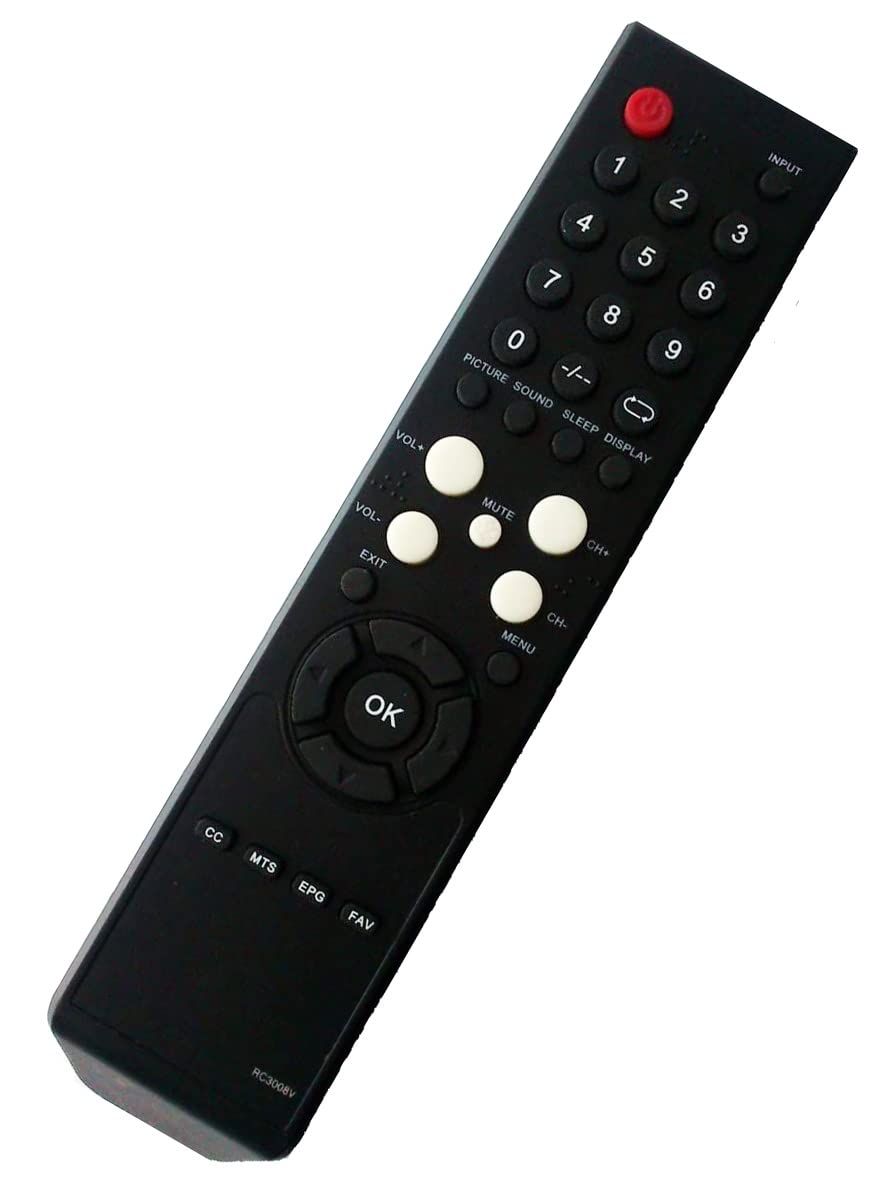
Smartby Replaced VR2 VR4 Remote Control for Vizio TV VL260M VO320E VO370M VO420E VP422 VECO320L VECO320L1A VL320M VP322 VECO320LHDTV VP422HDTV10A VP322HDTV10A VP323HDTV10A
Detalles del producto
Disponibilidad
En stock
En stock
Peso con empaque
0.20 kg
0.20 kg
Devolución
Si
Si
Condición
Nuevo
Nuevo
Producto de
Amazon
Amazon
Viaja desde
USA
USA
Sobre este producto
- Smartby Replaced Remote Control VR2 VR4 for Vizio TV VL260M VO320E VO370M VO420E VP422 VECO320L VECO320L1A VL320M VP322 VECO320LHDTV VP422HDTV10A VP322HDTV10A VP323HDTV10A No programming or paring needed. It is ready for use after inserting the new batteries. If it does not work, please follow this procedure: 1. Remove batteries from remote control 2. Press every button on the unit for 3 seconds on the remote at least one (1) time to drain any residual power. 3. Insert BRAND-NEW batteries into the remote. 4. Sometimes the problem isn’t the remote, but the TV. To correct problem, unplug the TV from the power outlet and hold down the power button on the side of the TV for 15 seconds. Then, plug the TV back in and power it on.
₡ 5,260
IMPORT EASILY
By purchasing this product you can deduct VAT with your RUT number
₡ 5,260
 Llega en 5 a 10 días hábiles
Con envío
 Tienes garantia de entrega
Este producto viaja
de USA ![]() a tus manos en
a tus manos en
![]()
 a tus manos en

Conocé más detalles
Replaced VR2 VR4 Remote Control for Vizio TV VL260M VO320E VO370M VO420E VP422 VECO320L VECO320L1A VL320M VP322 VECO320LHDTV VP422HDTV10A VP322HDTV10A VP323HDTV10A Brand New. No programming or paring needed. It is ready for use after inserting the new batteries. Remote Control VR2 VR4 Replacement for Vizio TV VL260M VO320E VO370M VO420E VP422 VECO320L VECO320L1A VL320M VP322 VECO320LHDTV VP422HDTV10A VP322HDTV10A VP323HDTV10A Check to ensure that the battery is properly installed. If the unit is not working, remove the battery, turn it around, and install the battery correctly as indicated in Image 3. If the remote does not work directly, please reset it: 1. Remove batteries from remote control 2. Press every button on the unit for 3 seconds on the remote at least one time to drain any residual power. 3. Insert BRAND-NEW batteries into the remote. 4. Sometimes the problem isn’t the remote, but the TV. To correct problem, unplug the TV from the power outlet and hold down the power button on the side of the TV for 15 seconds. Then, plug the TV back in and power it on.
Compra protegida
Disfruta de una experiencia de compra segura y confiable
![]() Garantía de entrega
Garantía de entrega
Con Tiendamia todas tus compras cuentan con Garantía de Entrega o devolución total de tu dinero.
Compras 100% seguras y garantizadas, para que pidas lo que sueñas y lo recibas del mundo a tu puerta.
Tarjetas de Débito y Crédito
Pagando en Colones ( ₡ )

Visa

Mastercard

American Express
Pagos a través de PayPal
Compra procesada en dólares con dinero en cuenta o tarjetas internacionales.

PayPal

