


 Garantía de entrega









Artículo: AMZ-B0DSGGNMR3
Global Teck Worldwide
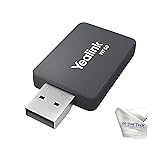
Yealink WF50 V1 USB WiFi Dongle for Yealink Desk Phones Only, Not for PC, Not for Laptops, No Bluetooth, Compatible with T42U/T43U/T46U/T48U/T73U/T74U/T77U T53/MP54/MP56, Global Teck Cloth
Detalles del producto
Disponibilidad
En stock
En stock
Peso con empaque
0.20 kg
0.20 kg
Devolución
No
No
Condición
Nuevo
Nuevo
Producto de
Amazon
Amazon
Viaja desde
USA
USA
Sobre este producto
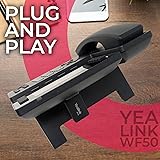
- Yealink WF50 (V1) is a dual-band USB WiFi dongle designed to add Wi-Fi connectivity to supported Yealink IP desk phones. It is NOT a USB Wi-Fi adapter for computers, laptops, tablets, or consoles. Compatible Yealink phone models + required firmware SIP-T42U / SIP-T43U / SIP-T46U / SIP-T48U (108.86.0.70 or later) SIP-T53 (96.86.0.70 or later) Teams MP52 / MP54 Tip: Check the model number printed on your phone and update firmware before installing the WF50 (V1). Not compatible (common return reason) WF50 (V1) does NOT work with older Yealink “S” or “G” series models such as T46S/T48S, T4xS/T4xG, and other T5x phones except T53. If your phone model is not listed above, this is not the correct dongle. Legacy WF50 note (older models) Some older Yealink phones (T4xS/T4xG) typically used the legacy WF50 (non-V1) dongle. That older version is often discontinued / no longer available in many channels, and WF50 (V1) is not a substitute for those older “S” or “G” series phones. What WF50 (V1) does Adds Wi-Fi connectivity to supported Yealink desk phones so you can connect the phone to your wireless network (2.4GHz or 5GHz) without running an Ethernet cable. Setup (typical steps) Insert WF50 (V1) into the phone USB port On the phone, open Network/Wi-Fi settings and enable Wi-Fi Select your Wi-Fi network (SSID) and enter the password Confirm the phone shows connected status Reminder Not for PC/Mac, laptops, tablets, or consoles. For supported Yealink desk phones only.
₡ 44,750
17% OFF
₡ 36,985
IMPORT EASILY
By purchasing this product you can deduct VAT with your RUT number
₡ 44,750
17% OFF
₡ 36,985
 Llega en 15 a 25 días hábiles
Con envío
 Tienes garantia de entrega
Este producto viaja
de USA ![]() a tus manos en
a tus manos en
![]()
 a tus manos en

Conocé más detalles
Bundled in The Box – Yealink WF50 (V1) dongle, and Global Teck Microfiber Cloth; Insert WF50 (V1) into the Yealink phone USB port, then enable WiFi on the Yealink phone screen and join your network, supports WPA, WPA2, and WPA2 Enterprise security Yealink Desk Phones Only, Not for PC, Laptop, or Bluetooth Pairing; WF50 V1 plugs into the USB port on supported Yealink IP desk phones to add WiFi connectivity so the phone can connect to a WiFi network; It does not add WiFi or Bluetooth to computers, laptops, tablets, smartphones, or game consoles WF50 (V1) Compatibility + Required Firmware; Compatible models include T42U/T43U/T46U/T48U/T73U/T74U/T77U with firmware version 108.86.0.70 or later and SIP-T53 with firmware version 96.86.0.70 or later; Works with Yealink Teams MP52/MP54 phones; Update phone firmware before installing; No other Yealink phones are compatible at this time including S or G series such as T46S or T48G NOT BLUETOOTH, NOT FOR WIRELESS HEADSETS – This is a WiFi adapter for connecting a compatible Yealink desk phone to a WiFi network, it does not add Bluetooth, it does not pair with Bluetooth headsets, it does not enable any wireless headset connection to the Yealink Desk Phone FIRMWARE REQUIRED FOR DETECTION – Firmware version 96.86.0.70 for T53, and other compatible models require 108.86.0.70 or higher is required for the phone to recognize the WF50 (V1), if firmware is older, the dongle may appear not working, check on the phone, Menu, Status, More, Firmware, update through your IT administrator or Yealink support before use
Compra protegida
Disfruta de una experiencia de compra segura y confiable
![]() Garantía de entrega
Garantía de entrega
Con Tiendamia todas tus compras cuentan con Garantía de Entrega o devolución total de tu dinero.
Compras 100% seguras y garantizadas, para que pidas lo que sueñas y lo recibas del mundo a tu puerta.
Tarjetas de Débito y Crédito
Pagando en Colones ( ₡ )

Visa

Mastercard

American Express
Pagos a través de PayPal
Compra procesada en dólares con dinero en cuenta o tarjetas internacionales.

PayPal

