




 Garantía de entrega
















Generic LCD Screen for Oukitel WP36 Replacement LCD Display Touch Digitizer Assembly Black
Disponibilidad
En stock
En stock
Peso con empaque
0.20 kg
0.20 kg
Devolución
Si
Si
Condición
Nuevo
Nuevo
Producto de
Amazon
Amazon
Sobre este producto
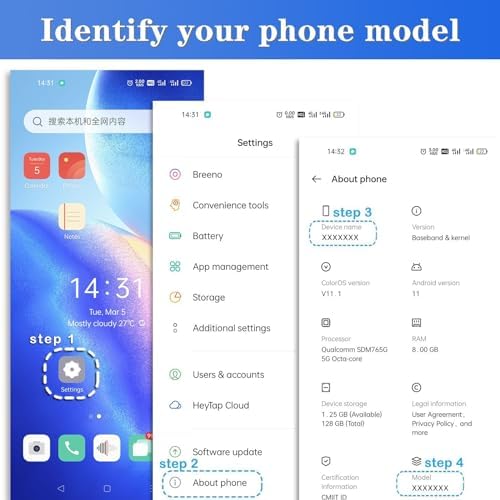
- Compatible With:Oukitel WP36, please check your phone model before purchase.
- 100% tested before shipping and 3 months's Warranty, All Parts like LCD, digitizer touch screen and front glass already Pre-assembled.
- Use to repair or replace faulty screens, display problems, dead pixels, cracked LCD screens and wrong color issues.
- With Repair Tools:A set of quality repair tools and adhesive.(You May also need other tools in order for you to be able to fix the device.)
- Please ensure you know how to repair yourself or check Repair Video online before you buy it. Highly recommend professional installation.
₡ 16,904
IMPORT EASILY
By purchasing this product you can deduct VAT with your RUT number
₡ 16,904
Llega en 5 a 10 días hábiles
Con envío
 Tienes garantia de entrega
Este producto viaja
de USA ![]() a tus manos en
a tus manos en
![]()
 a tus manos en


Compra protegida
Disfruta de una experiencia de compra segura y confiable
![]() Garantía de entrega
Garantía de entrega
Con Tiendamia todas tus compras cuentan con Garantía de Entrega o devolución total de tu dinero.
Compras 100% seguras y garantizadas, para que pidas lo que sueñas y lo recibas del mundo a tu puerta.
Tarjetas de Débito y Crédito
Pagando en Colones ( ₡ )

Visa

Mastercard

American Express
Pagos a través de PayPal
Compra procesada en dólares con dinero en cuenta o tarjetas internacionales.

PayPal
Conocé más detalles
Note: - Replacing/repairing old, broken, cracked, damaged, touch is not working, touch response issues,non-functioned for LCD screen. - We strongly suggest test the item received before installation, pls don't remove protective film or tags when testing; Test steps: 1. clean the flex cable of screen and the slot of the motherboard before test; 2. connect new screen to the motherboard tightly; 3. make sure battery was charged fully, and pls also make sure your motherboard is not broken; 4. Power on ,tested finished. Please be careful during the installation process. Any problems, please contact us in time. Do not force the installation. Thank you.Tips for Repair youself:1.Avoid to pull the flex cable too hard. 2.Do not press LCD hard, it is easy to damage. 3.Please search on Youtube to search suitable repair video before installation.4.Please keep your phone power off and disconnect the battery cable when assembling.5.Check the screen replacement to make sure the flexible cable in good condition and no debris/visible dust on the connector.

