


 Garantía de entrega

Artículo: AMZ-B0GTQCSDN5
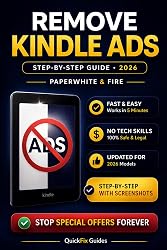
Remove Ads from Your Kindle Fast (2026 Guide): Simple Step-by-Step Method for Paperwhite & Fire (QuickFix Guides Series Book 1)
Detalles del producto
Disponibilidad
Sin Stock
Sin Stock
Peso con empaque
kg
kg
Devolución
No
No
Condición
Nuevo
Nuevo
Producto de
Amazon
Amazon
Viaja desde
USA
USA
Sobre este producto
- You paid for your Kindle — so why are ads still showing every time you unlock it?Here’s the truth:You can remove Kindle ads in minutes. In many cases, you don’t even have to pay.Most users never realize this — because Amazon doesn’t make it obvious.That’s why millions of people keep seeing “Special Offers” every day… even though the fix is simple.This guide shows you exactly how to remove ads step by step — even if you’ve never changed a single setting before.No tech skills. No confusion. No wasted time.Inside, you’ll discover: ✔ The fastest official method to remove ads (takes about 2 minutes) ✔ A little-known support trick that can remove ads for FREE ✔ Exact messages you can copy & paste to support ✔ What to do if it doesn’t work (quick fixes that actually help) ✔ Simple tips to avoid paying when you don’t have to Most users who read daily choose to remove ads — not because they have to, but because it makes the experience better. Imagine unlocking your Kindle and seeing only your books — no ads, no distractions, no frustration. Clean. Simple. The way it should be. Read it in under 20 minutes. Apply it immediately. See results today. Download and remove Kindle ads for good. Also helpful QuickFix Guides: “Why Your Kindle Keeps Showing Ads” “Kindle Ads vs No Ads” “Kindle Setup for Beginners” “Kindle Unlimited for Beginners” “How to Send Books to Kindle (EPUB Guide 2026)” “How to Fix EPUB Not Showing on Kindle (2026 Guide)” “Kindle Battery Draining Fast? Fix It (2026 Guide)”

Producto prohibido
Este producto no está disponible
Este producto viaja
de USA ![]() a tus manos en
a tus manos en
![]()
 a tus manos en

Compra protegida
Disfruta de una experiencia de compra segura y confiable
![]() Garantía de entrega
Garantía de entrega
Con Tiendamia todas tus compras cuentan con Garantía de Entrega o devolución total de tu dinero.
Compras 100% seguras y garantizadas, para que pidas lo que sueñas y lo recibas del mundo a tu puerta.
Tarjetas de Débito y Crédito
Pagando en Colones ( ₡ )

Visa

Mastercard

American Express
Pagos a través de PayPal
Compra procesada en dólares con dinero en cuenta o tarjetas internacionales.

PayPal

 Garantía de entrega